What you get on CBSE Math Revision: a tour in screenshots
Everything on CBSE Math Revision, shown as it looks on screen: for Class 10, 11 and 12 students revising CBSE Mathematics, for their teachers and heads of department, and for parents. Each feature below has a screenshot, one line on what it does and a link to try it.
The screenshots come from the live site with a made-up demo school: every student, teacher and parent name in them is fictional. Some features need a plan or a school licence: see plans and prices and school plans.
For students
-
Chapter notes and questions
Every NCERT chapter of Class 10, 11 and 12 on one page: revision notes, board-style questions with step marks, where marks are lost, and a short route through the chapter.
Try it: Chapter notes and questions → -
Route to 95
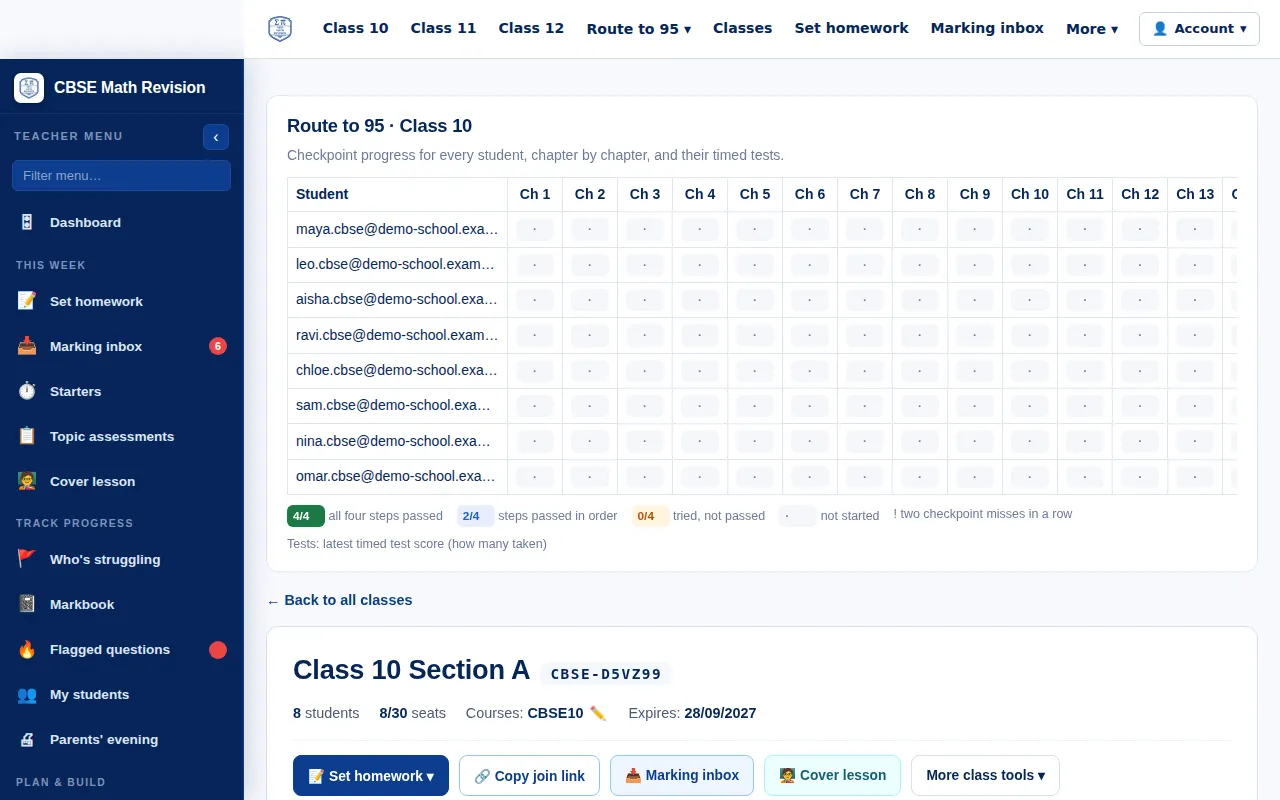
A plan to the board exam: every chapter in four steps, each ending in a short checkpoint, then timed sample papers, with your progress through them.
Try it: Route to 95 → -
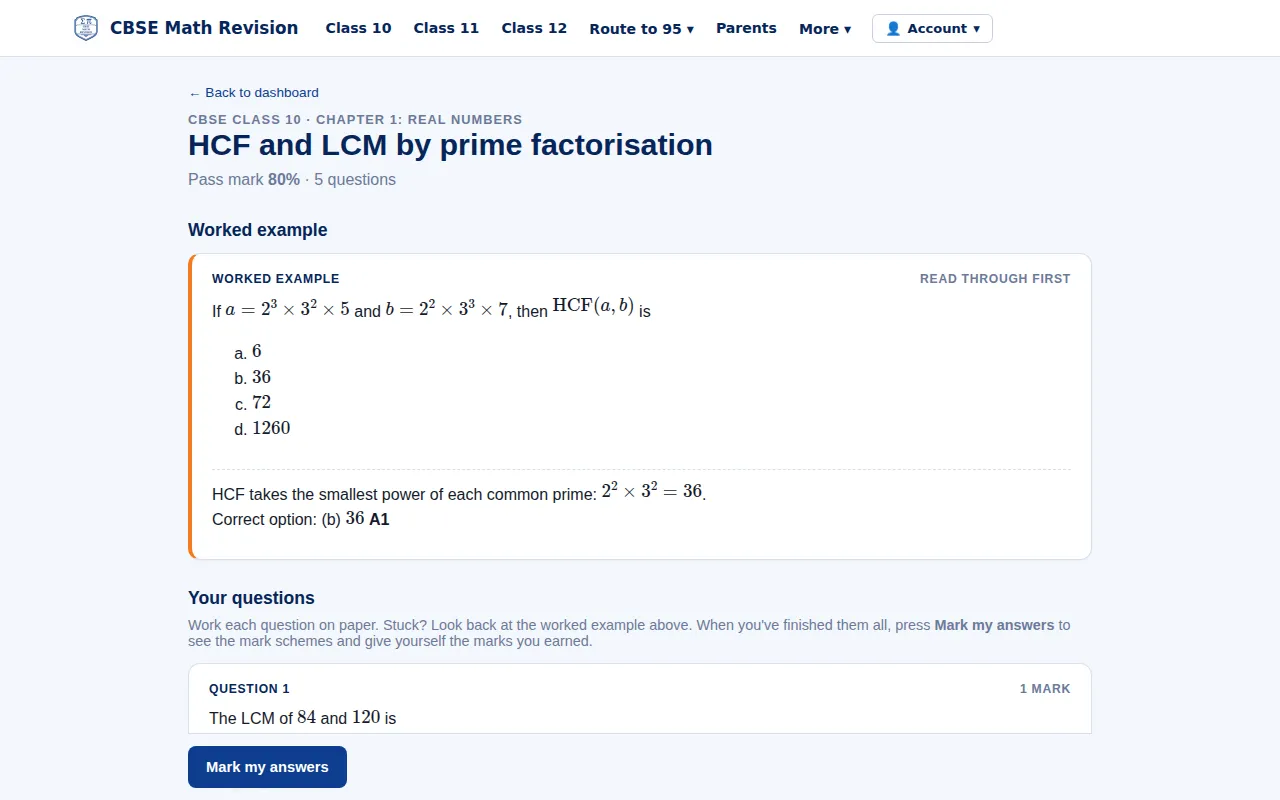
Skill Builders
One topic at a time: a worked example, then board-style questions. Type your answers and upload your working for your teacher to mark. Picked from your weakest sub-topics, or set by your teacher.
Try it: Skill Builders → -
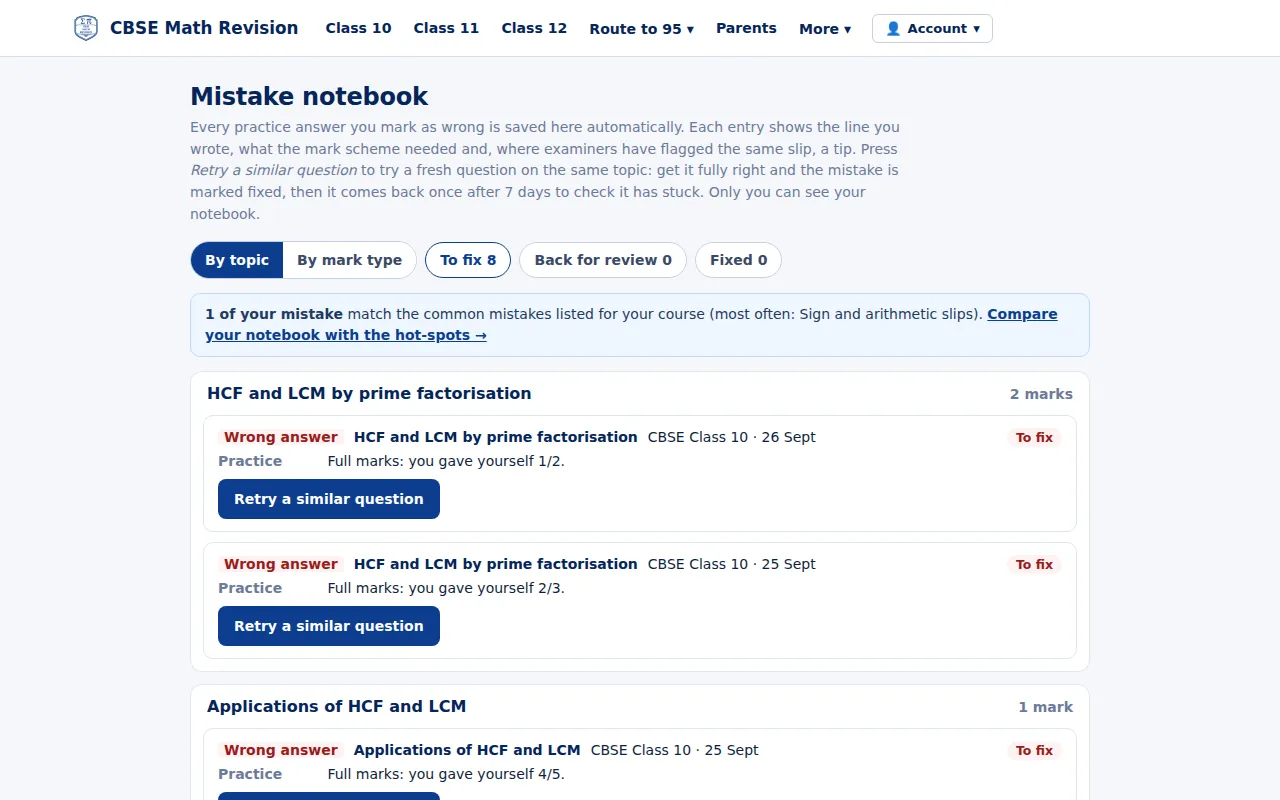
My mistakes
Every mark you lose in practice is saved with what the scheme needed and a tip on the same slip from Examiner Insights; retry a similar question until it is fixed, or press Fix my mistakes for a set of up to 5 similar questions on your open mistakes.
Try it: My mistakes → -
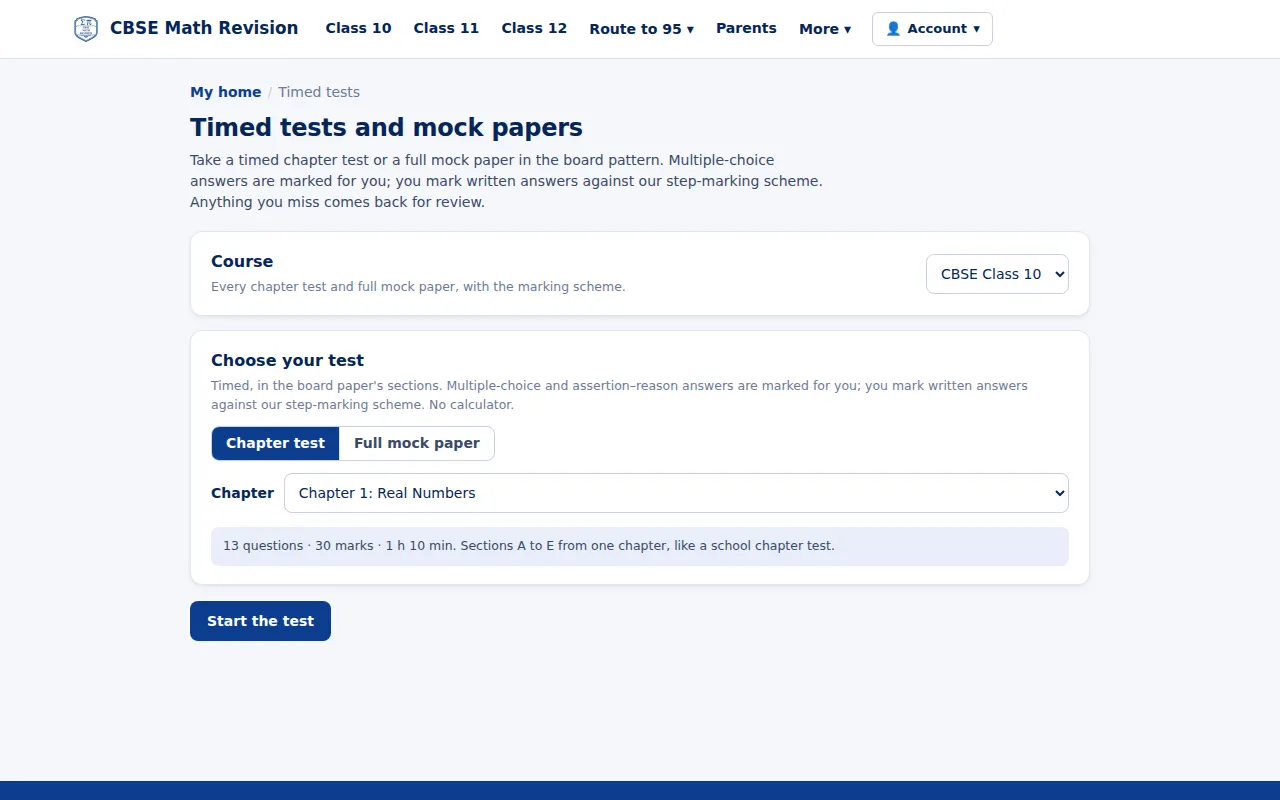
Build your own test
Timed 30-mark chapter tests and 80-mark full mocks in the board pattern: multiple-choice answers are marked for you, written answers you mark against the step-marking scheme.
Try it: Build your own test → -
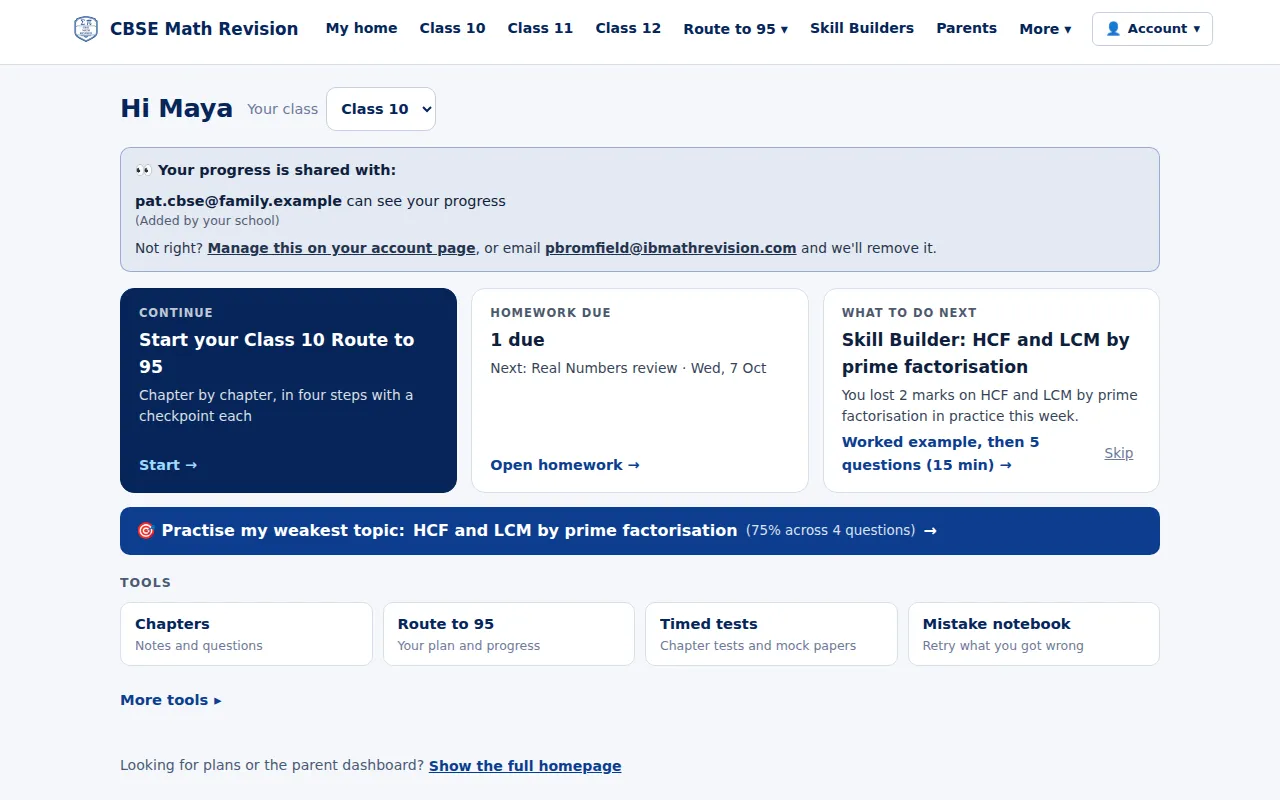
Your home page and What to do next
Signed in, you land on your own home: where to carry on in the Route to 95, homework due, one suggested next step (What to do next) and your weakest chapter to practise.
Try it: Your home page and What to do next → -
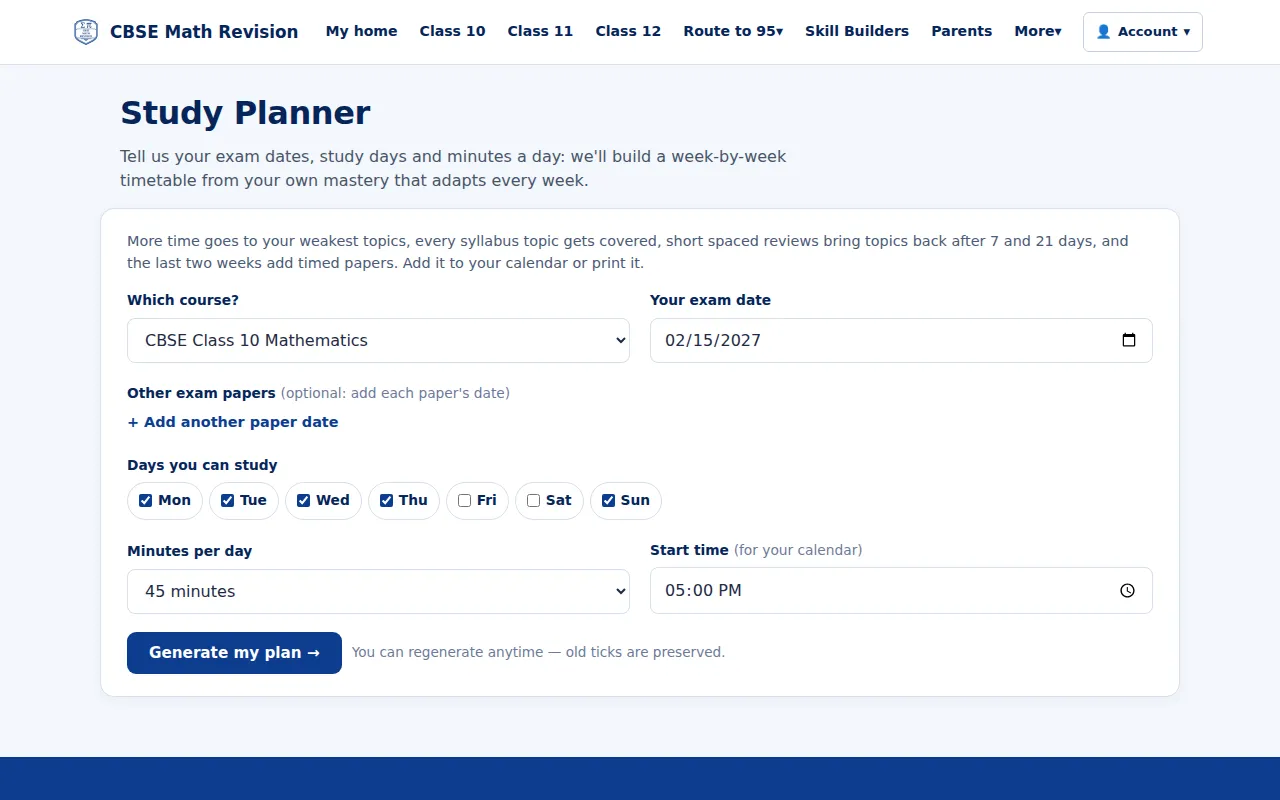
Study planner
Give your exam dates, the days you can study and minutes a day: it builds a week-by-week revision timetable from your own mastery that you can add to your calendar or print.
Try it: Study planner → -
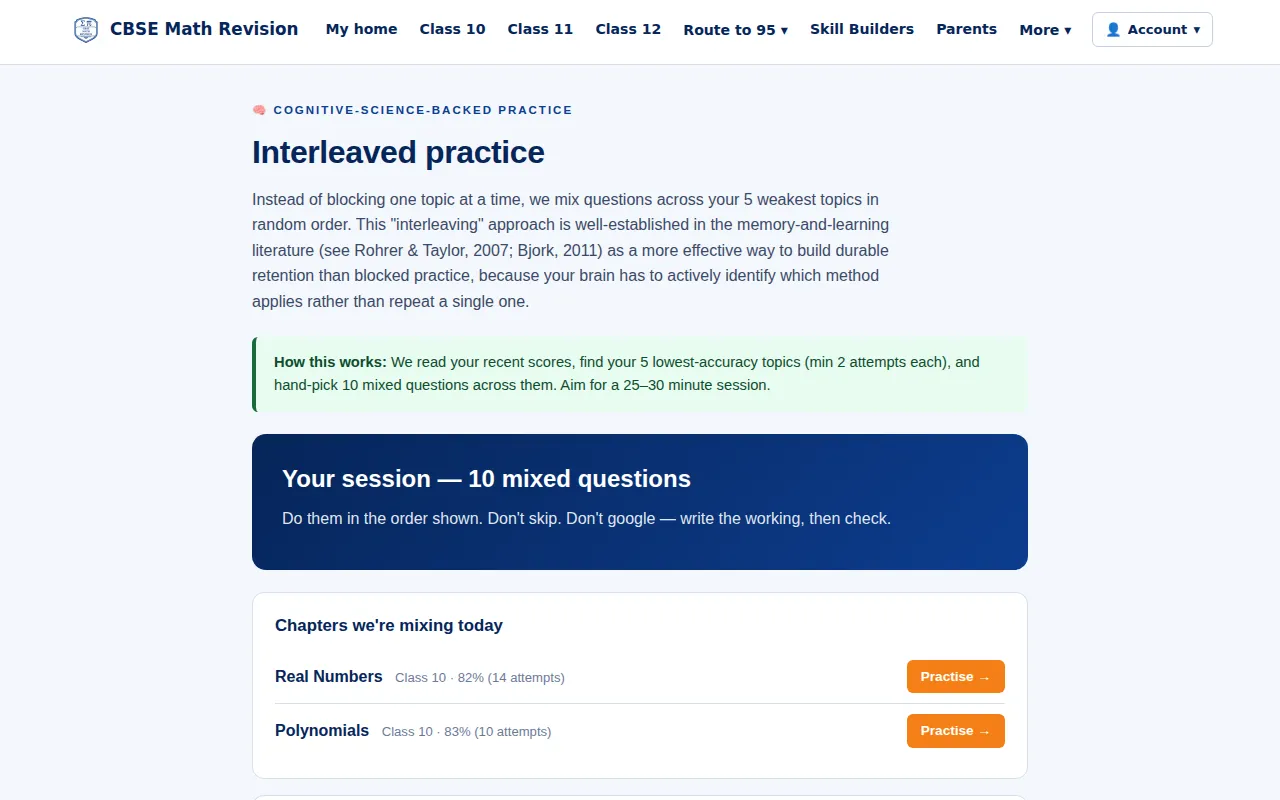
Interleaved mix
A session of 10 mixed questions across your weakest chapters, in random order, so you practise choosing the method as well as using it.
Try it: Interleaved mix → -
Flashcards
Cards for every NCERT chapter of Class 10, 11 and 12: key ideas, worked examples and common errors, with spaced repetition.
Try it: Flashcards → -
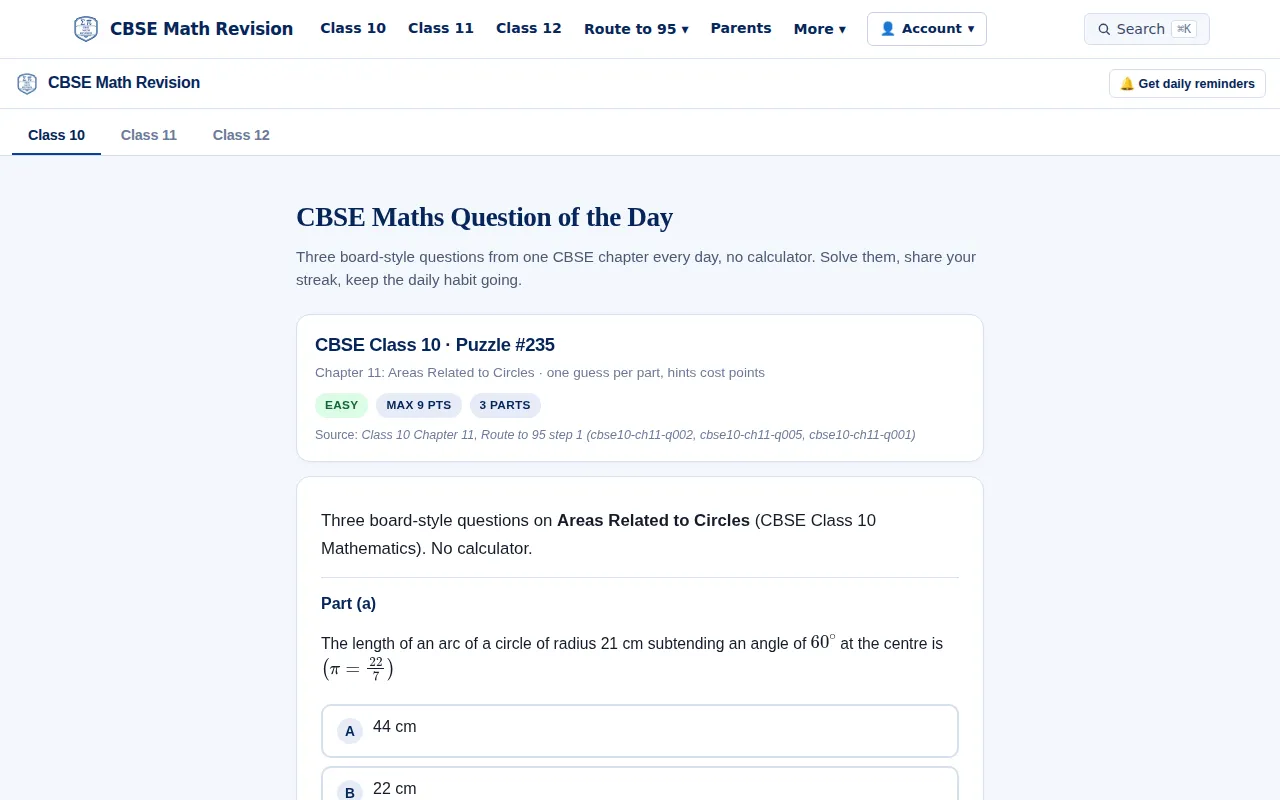
Question of the day
Three board-style questions from one chapter every day, for Class 10, 11 or 12.
Try it: Question of the day → -
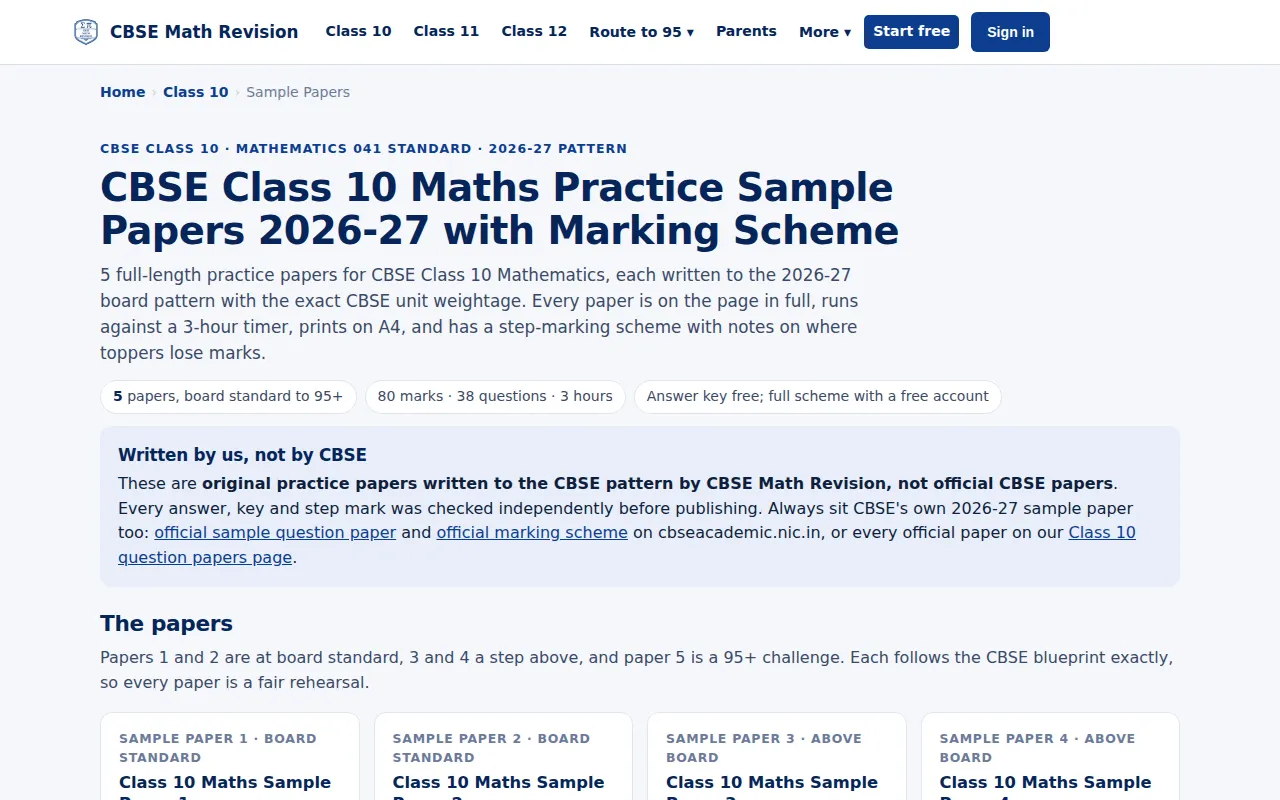
Sample papers
Full practice papers in the 2026-27 board pattern, written by us (not CBSE papers), each with a step-marking scheme.
Try it: Sample papers → -
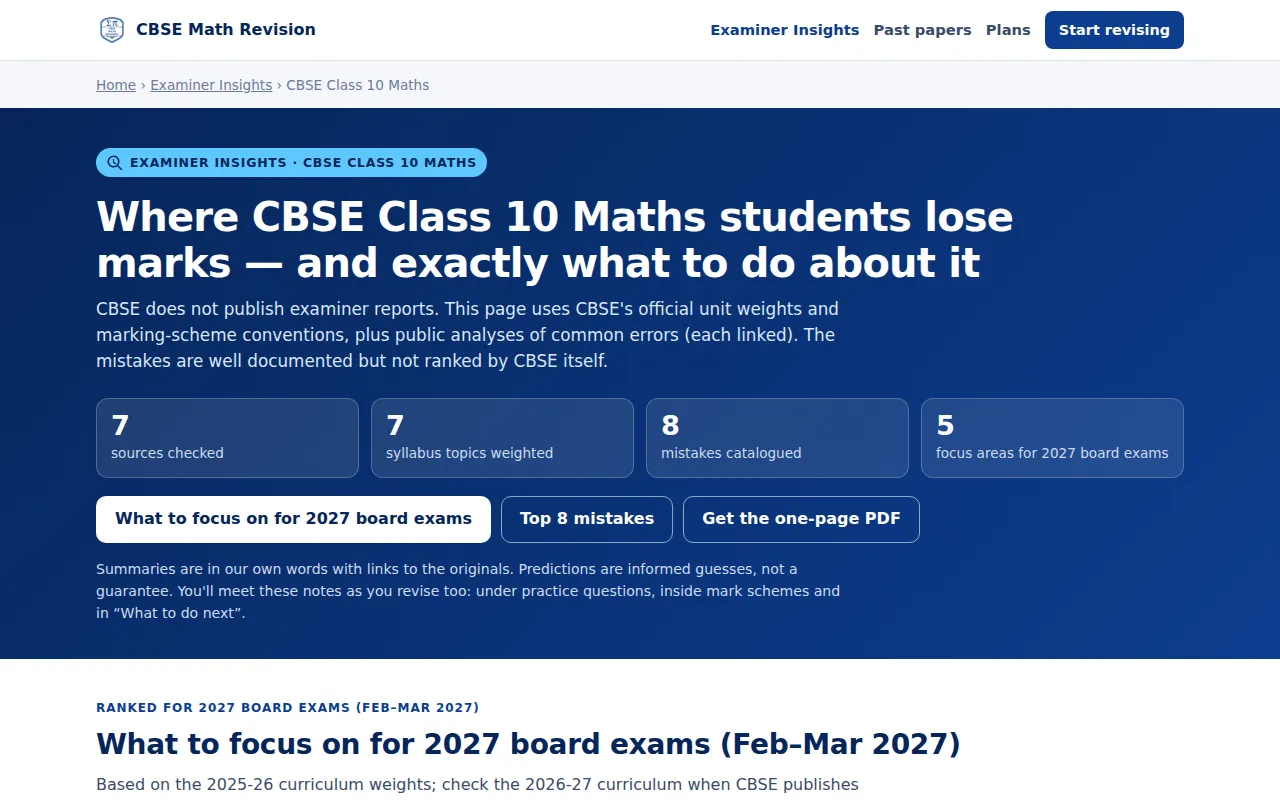
Examiner Insights
Where CBSE students lose marks, from CBSE's official marking schemes and sample papers (CBSE publishes no examiner reports), with what to do about it.
Try it: Examiner Insights → -
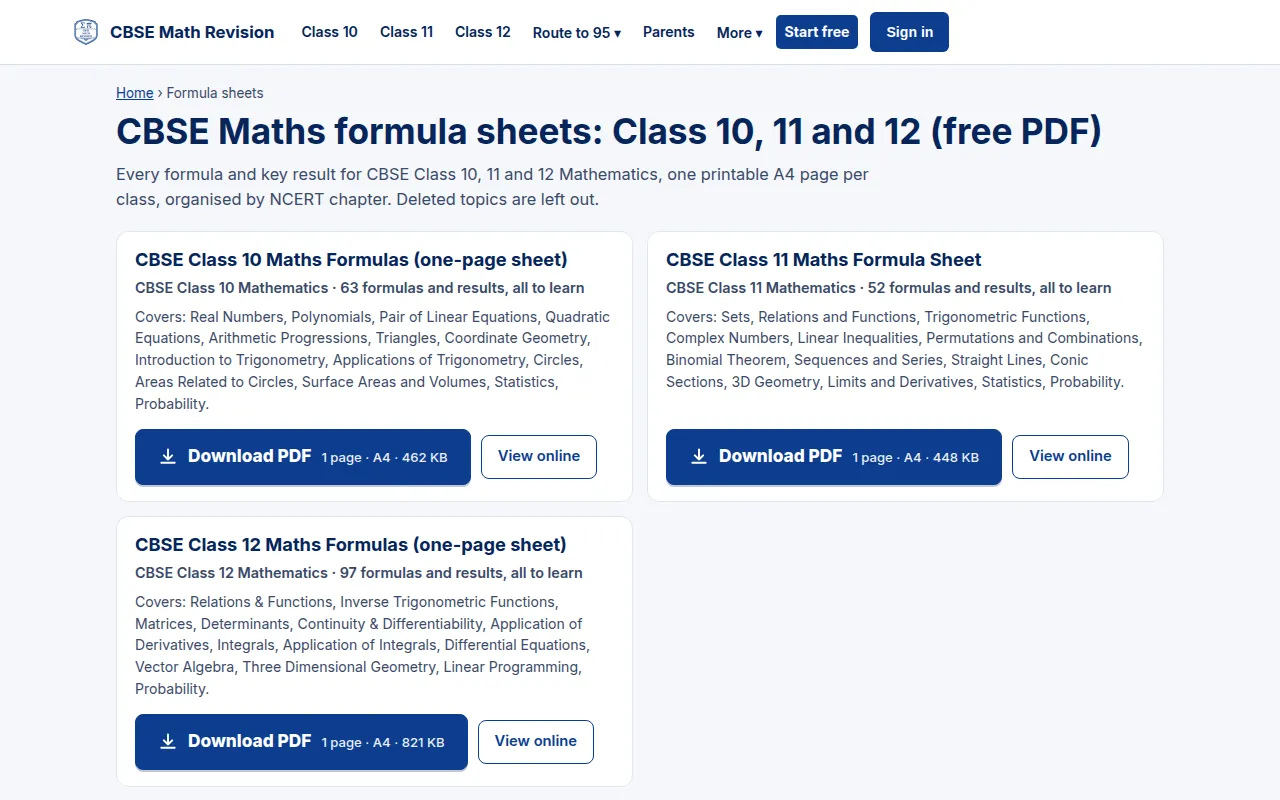
Formula sheets
One printable A4 formula sheet per course, free to download as a PDF or read online, marking what you need to learn.
Try it: Formula sheets → -
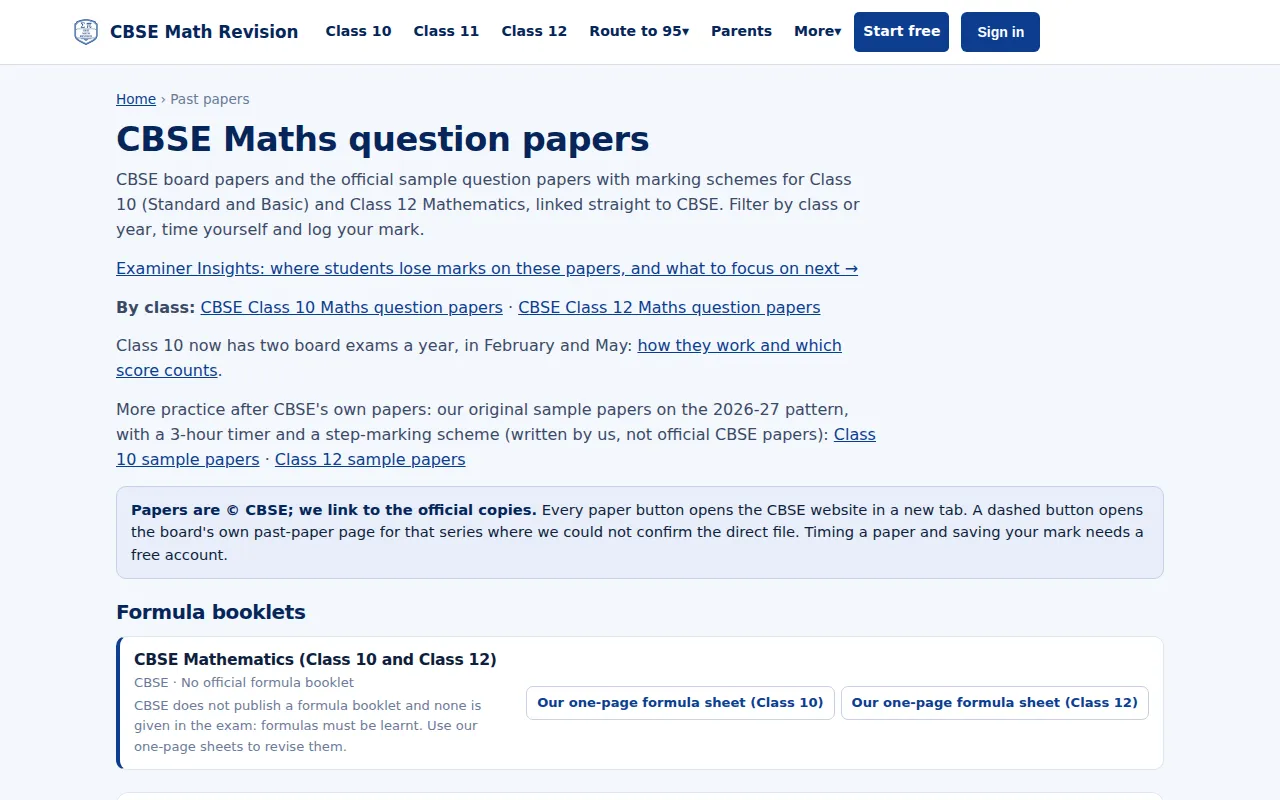
Past papers
CBSE board papers and official sample papers with marking schemes, linked to CBSE, for Class 10 and 12.
Try it: Past papers → -
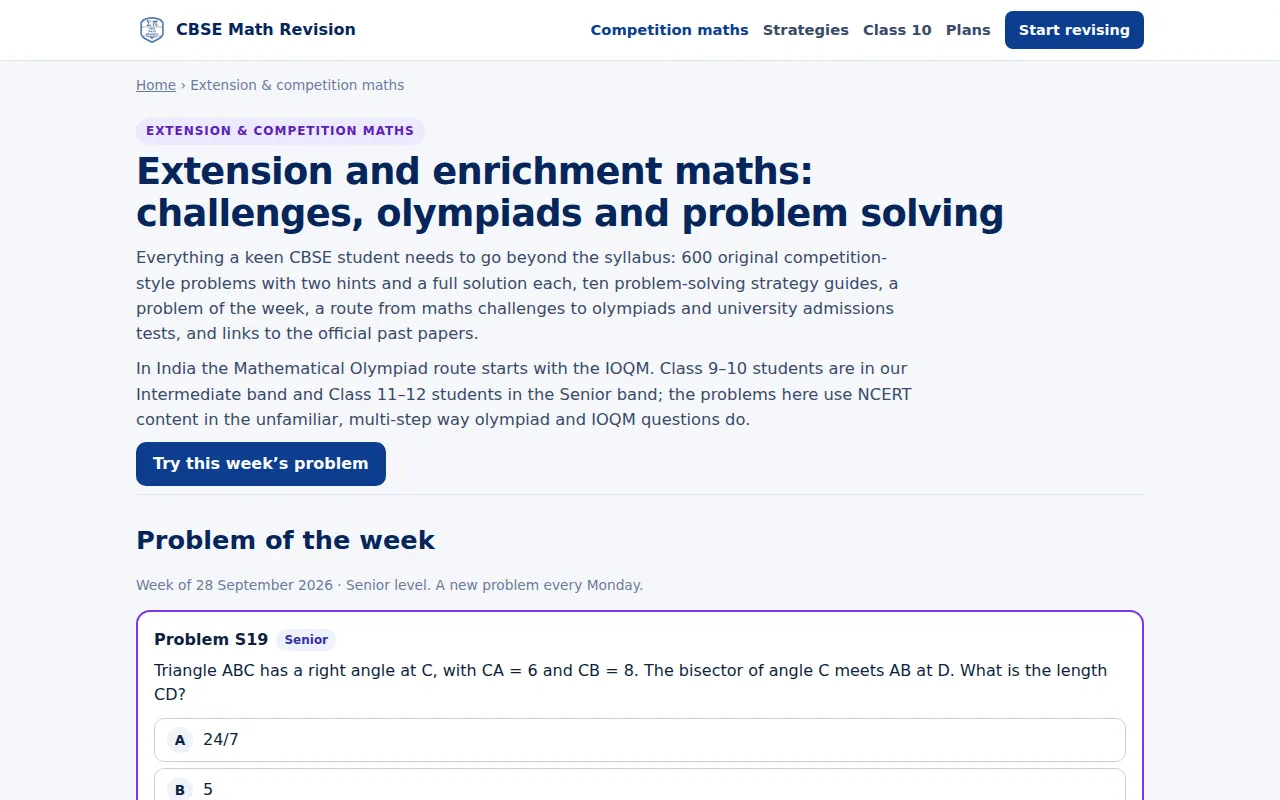
Extension and competition maths
Original competition-style problems in four levels, from Junior to Olympiad-style, each with two hints, a step-by-step solution and why it works, plus problem-solving strategy guides, a problem of the week and links to the official competitions. Most of it is free.
Try it: Extension and competition maths →



For teachers
-
Class page
One page per class: this week's lesson from the scheme of work, the starter, homework, Skill Builders and the class's top mistake, with the join code for students.
Try it: Class page → -
Set homework, including your own PDF
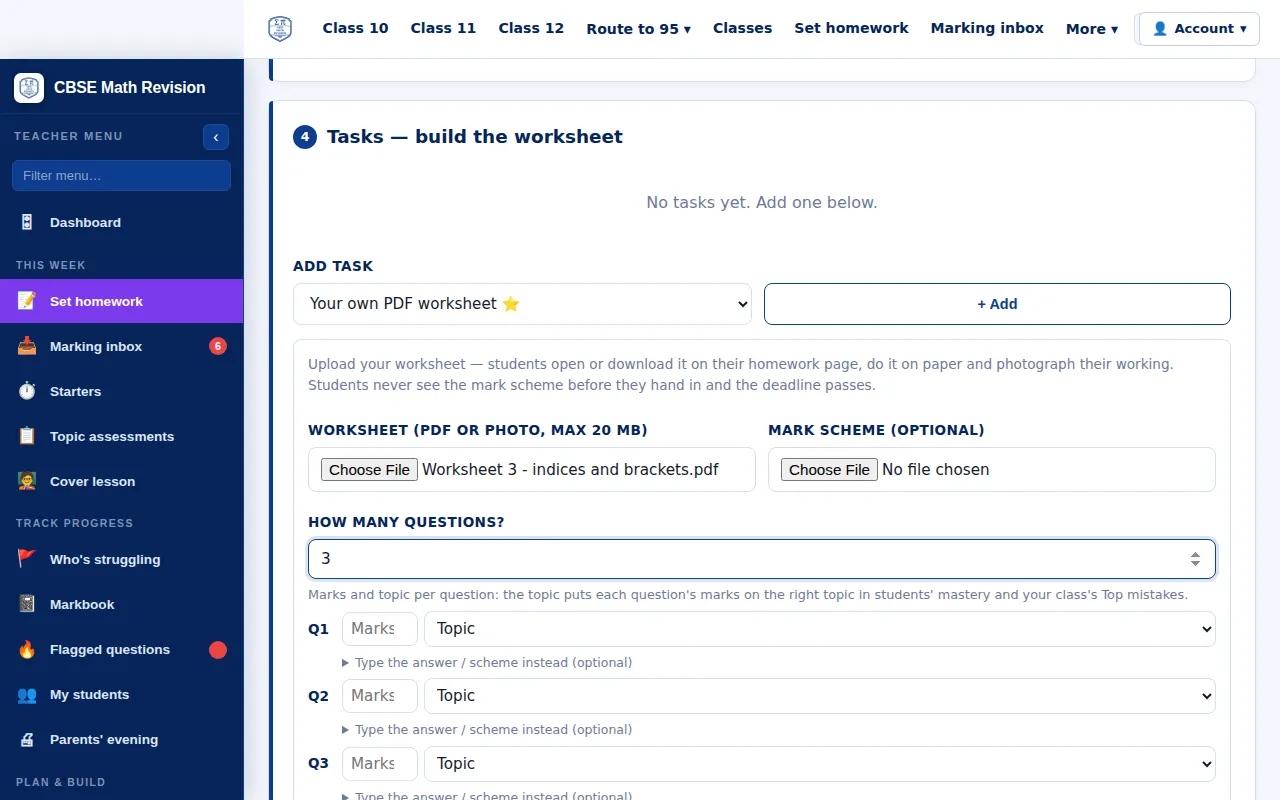
Set homework from the chapter banks, or upload your own PDF worksheet: students see it on their homework page and photograph their working for you to mark.
Try it: Set homework, including your own PDF → -
Marking inbox
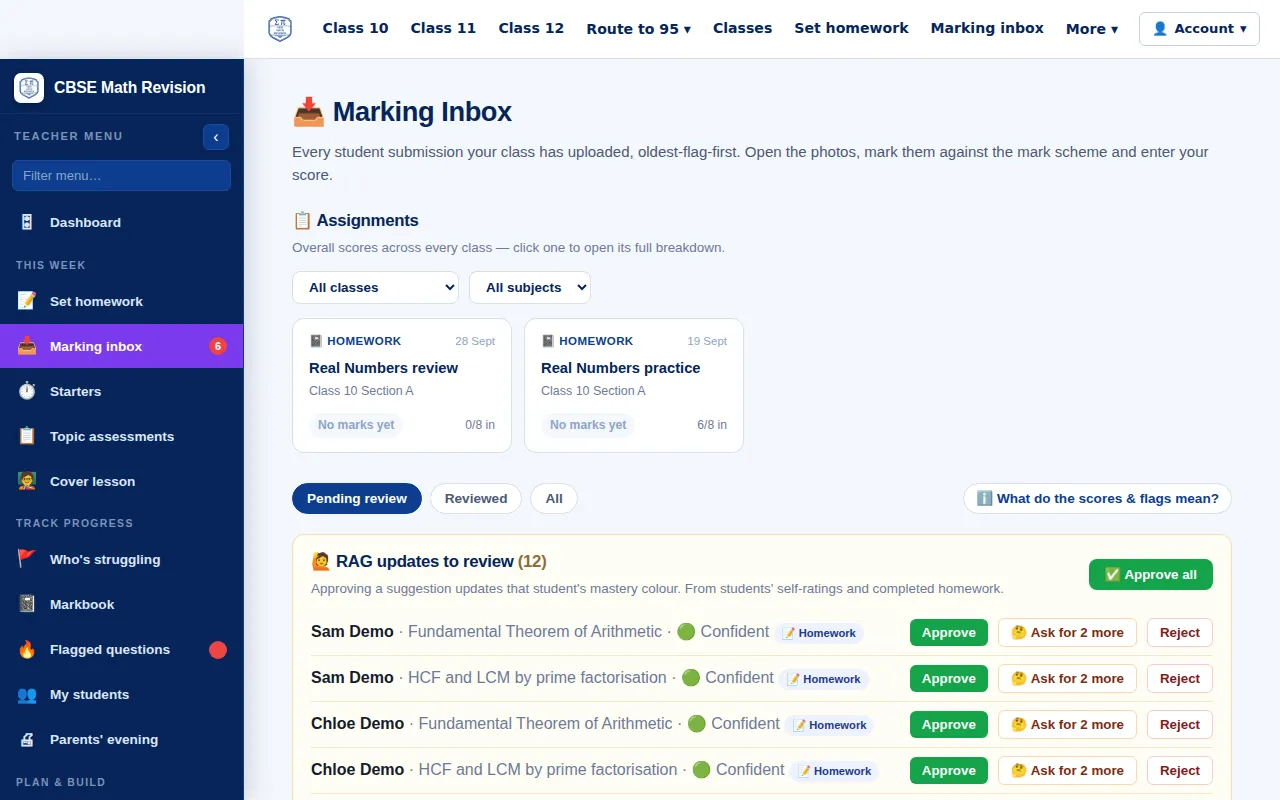
Every hand-in in one place, with flags for late or very fast work, and suggested mastery updates from completed homework to approve, query or reject.
Try it: Marking inbox → -
Markbook
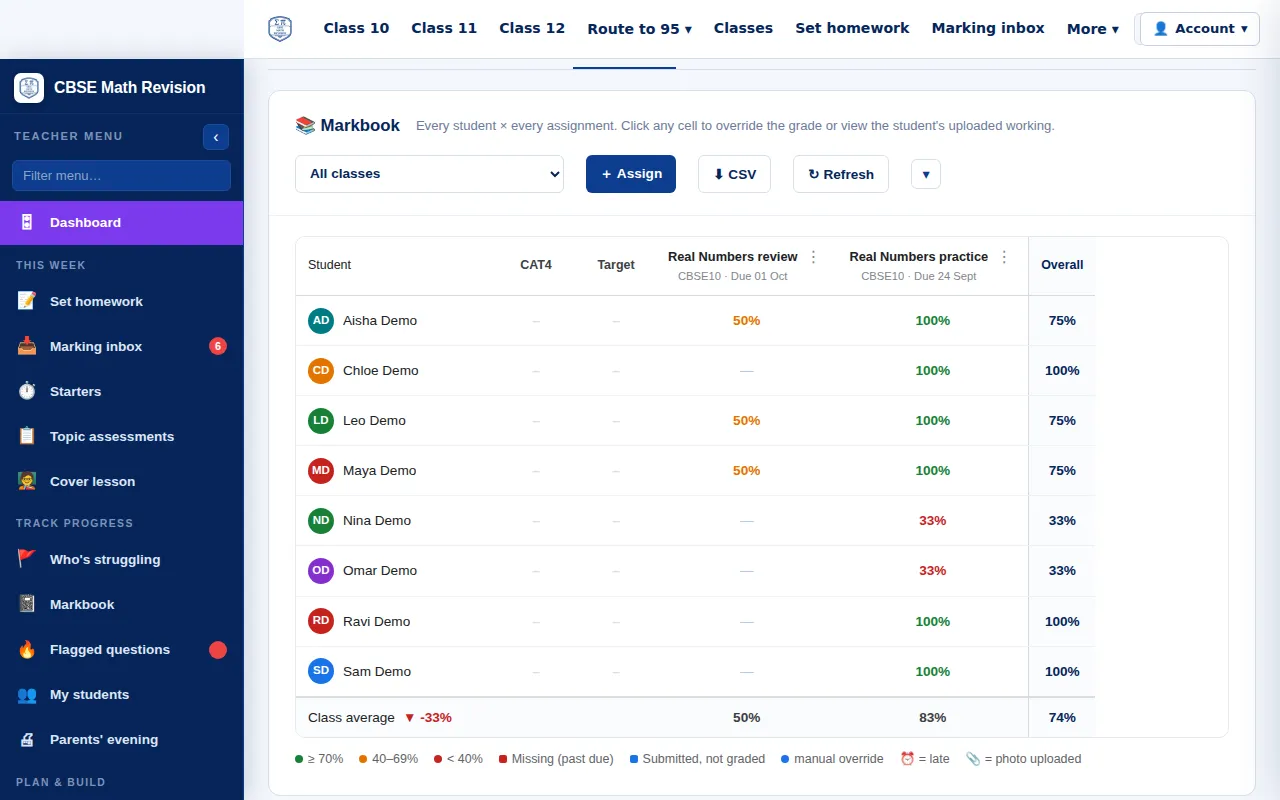
Every student against every piece of work, with class averages: click a cell to see the work and give a mark or a grade, and mark work with no score as Complete.
Try it: Markbook → -
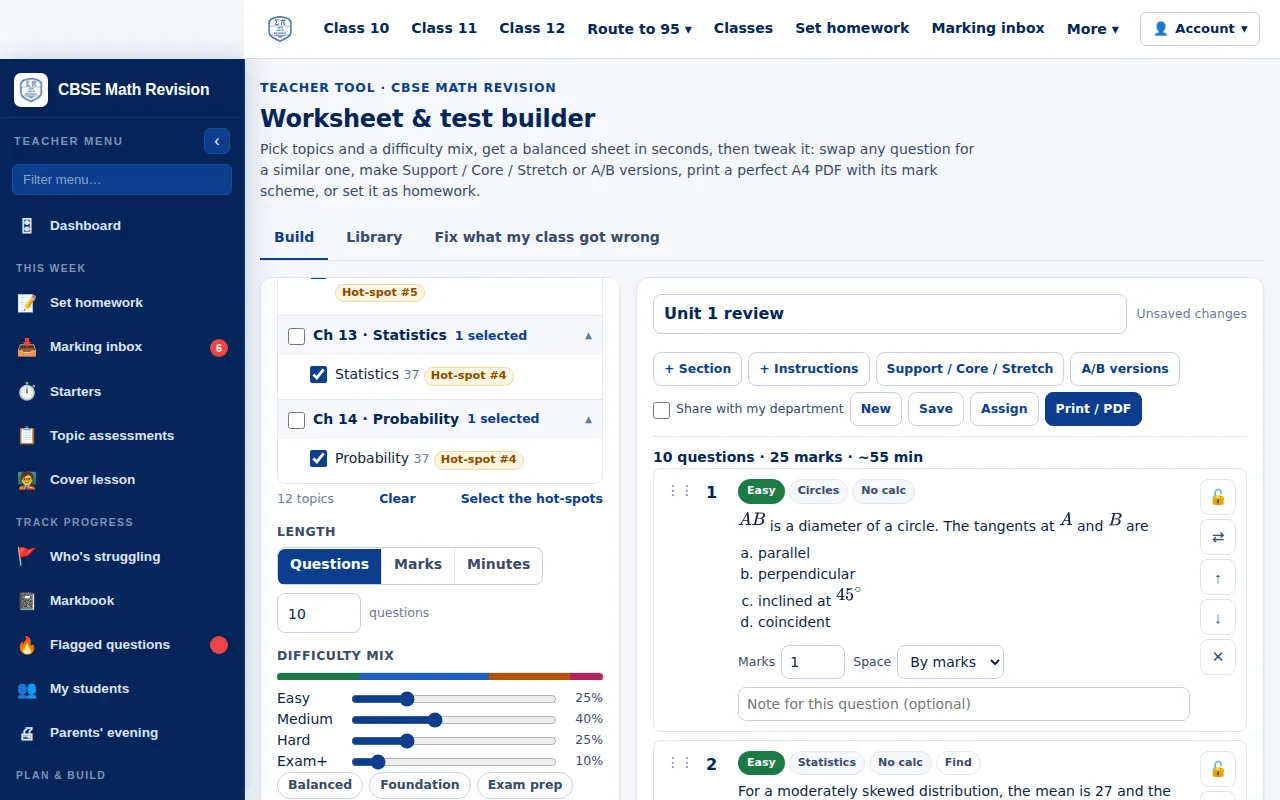
Worksheet builder
Pick topics and a difficulty mix to get a balanced sheet in seconds, swap any question, make Support, Core and Stretch versions, and print it with its mark scheme or set it as homework.
Try it: Worksheet builder → -
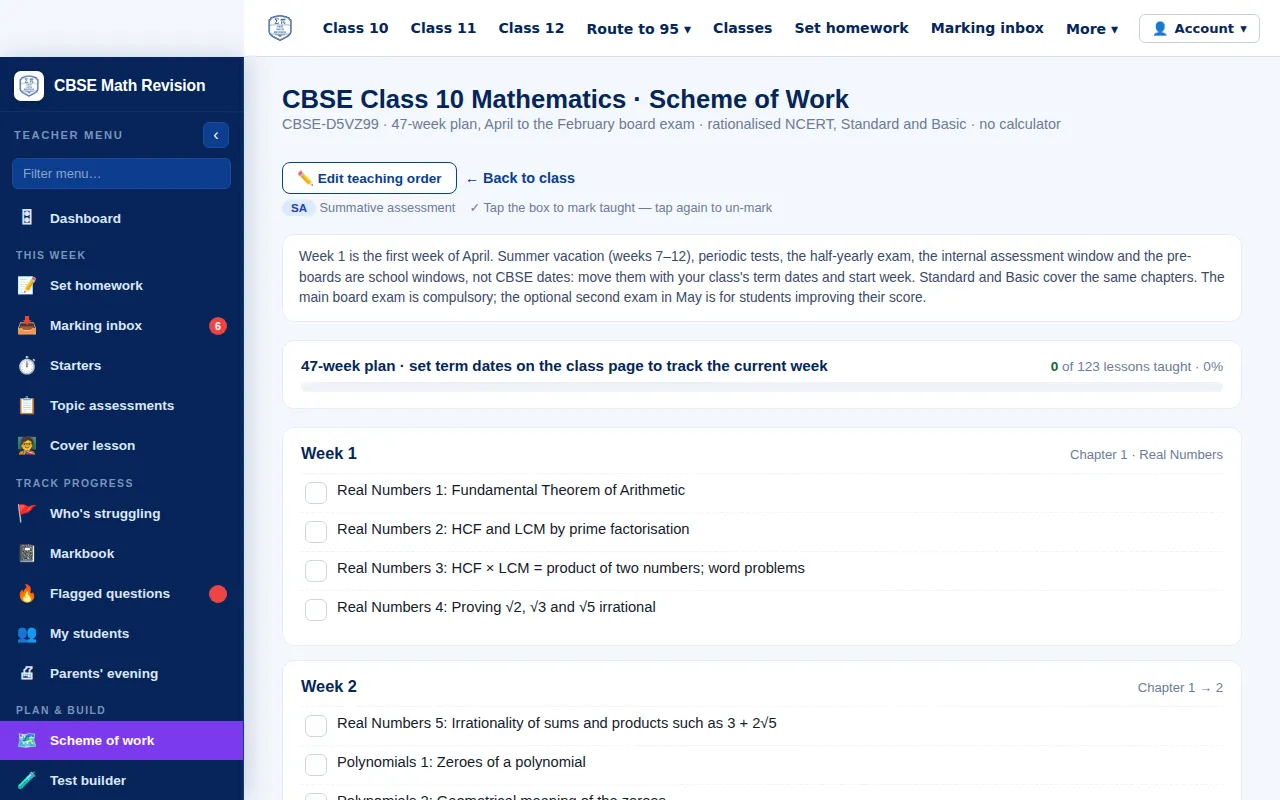
Scheme of work
The course planned week by week with formative checks; tick lessons as taught and the class page, starters and cover lessons follow it.
Try it: Scheme of work → -
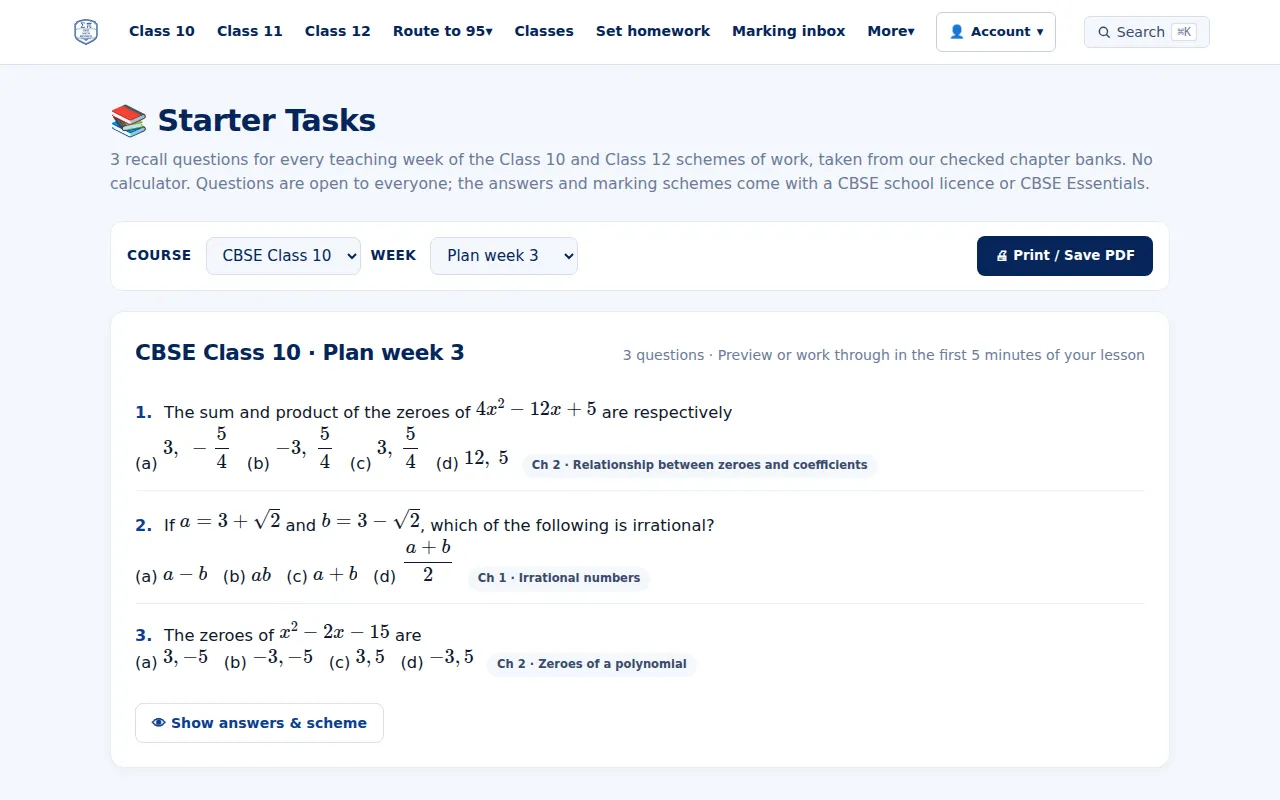
Weekly starters
Three recall questions for every teaching week of the Class 10 and 12 plans, from our checked chapter banks, with answers; free for everyone.
Try it: Weekly starters → -
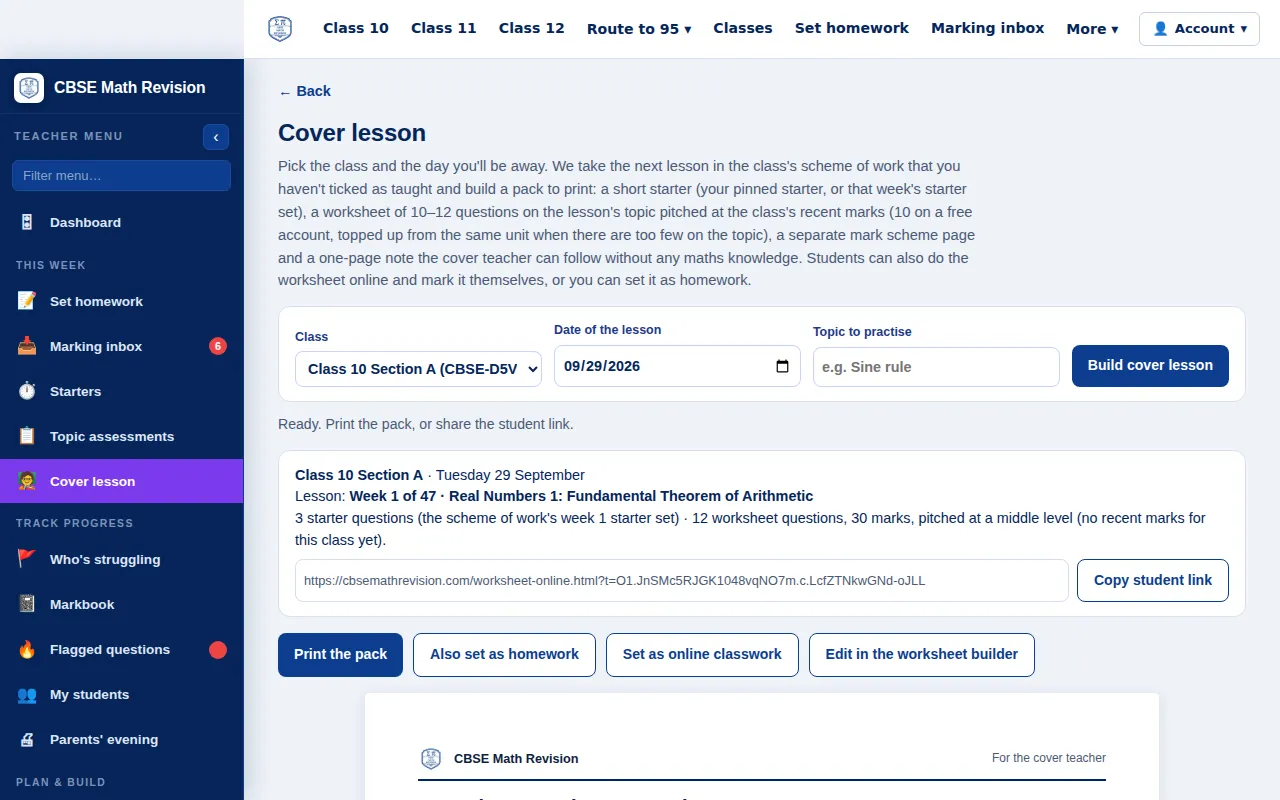
Cover lesson in one click
Pick the class and the day you will be away: it builds a pack from the next lesson in the scheme of work (starter, worksheet, mark scheme and a note for the cover teacher), to print or share.
Try it: Cover lesson in one click → -
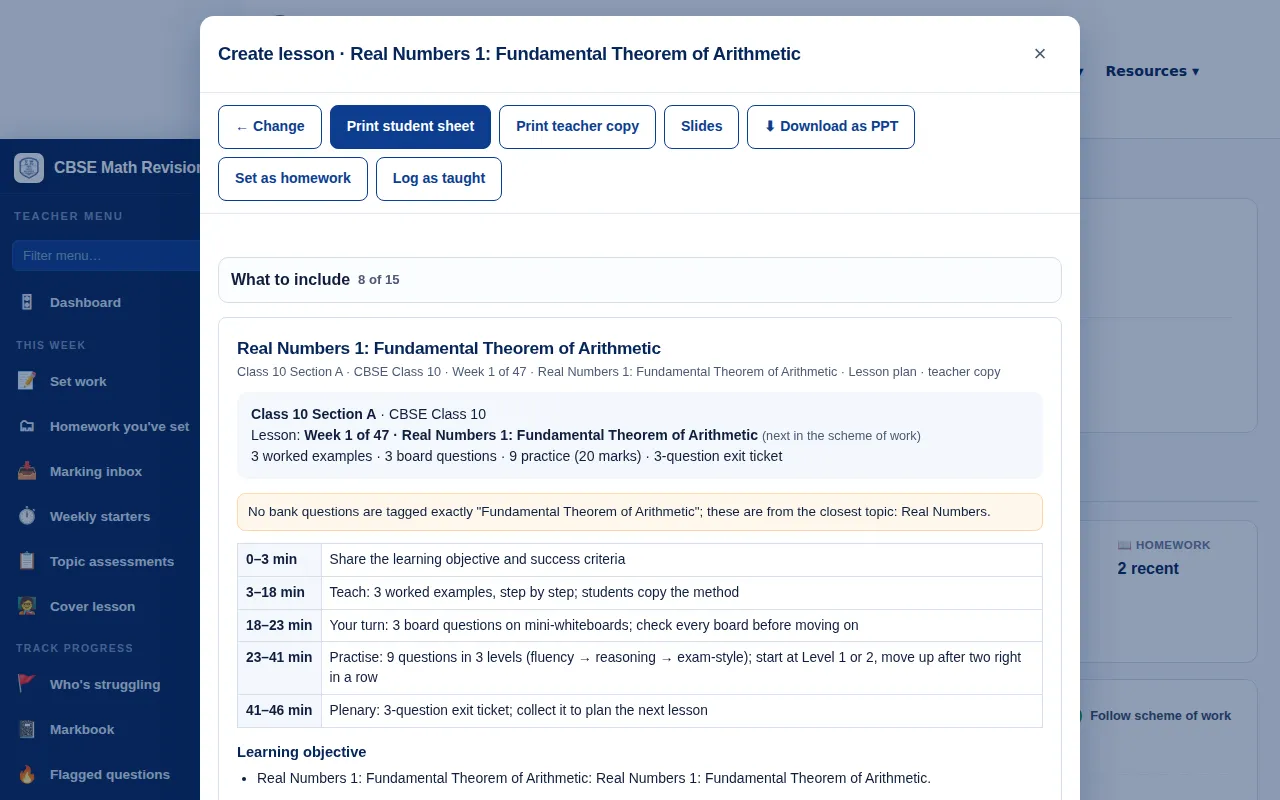
Create lesson
From the class page: a lesson for the next chapter lesson in the plan or any topic, with worked examples, board questions, practice at three levels and the answers, all from our checked chapter banks. Print it, show it as slides, set it as homework or log it as taught.
Try it: Create lesson → -
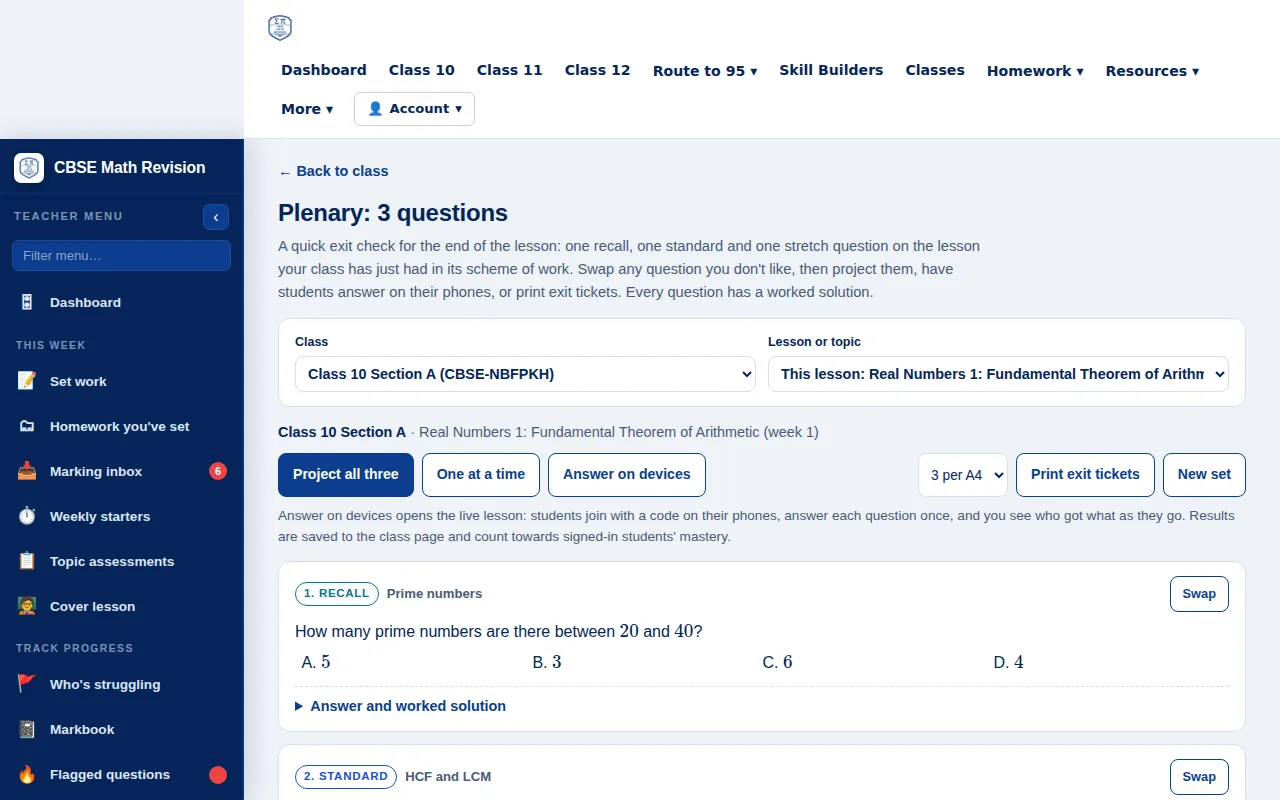
Plenary: 3 questions
An exit check for the end of the lesson: one recall, one standard and one stretch question on the lesson just taught. Swap any question, then project them, have students answer on their phones or print exit tickets.
Try it: Plenary: 3 questions → -
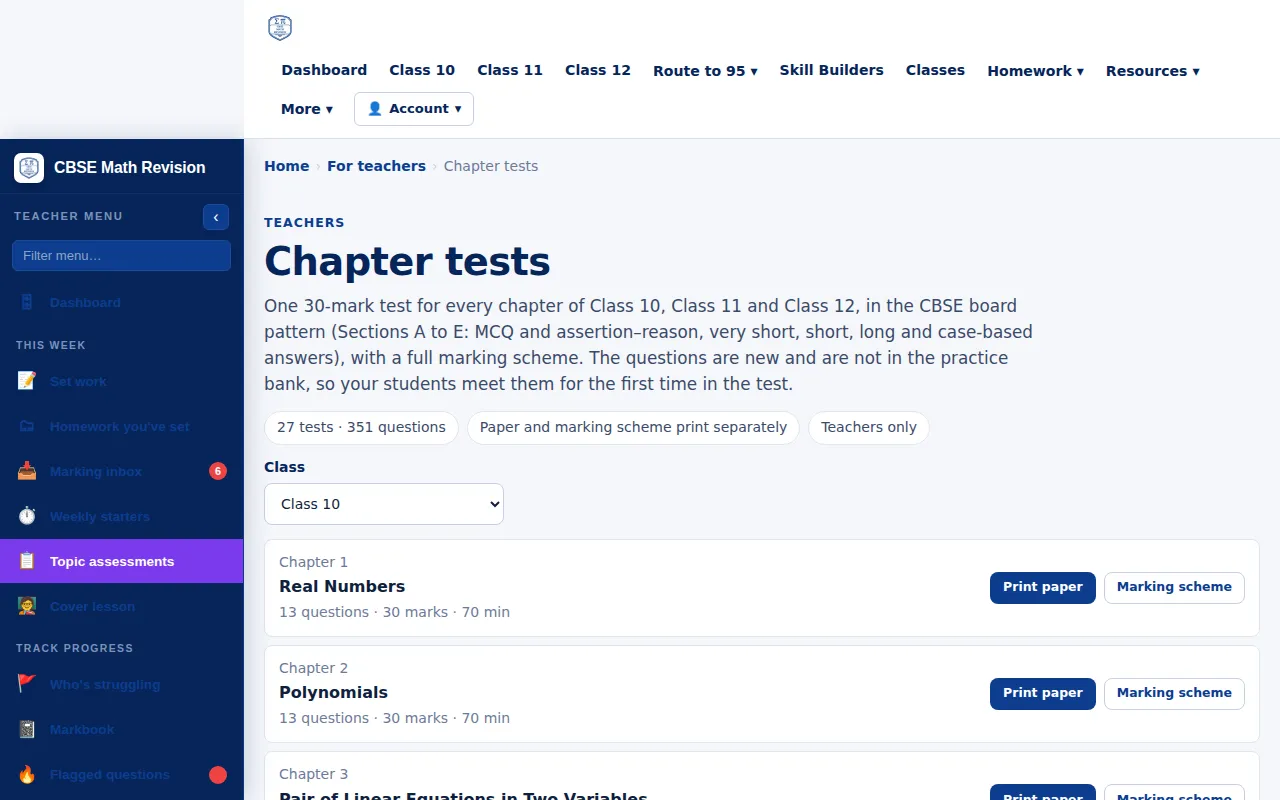
Topic assessments
One 30-mark test for every chapter of Class 10, 11 and 12 in the board pattern, with questions that are not in the practice bank, and a full marking scheme. Teachers only.
Try it: Topic assessments → -
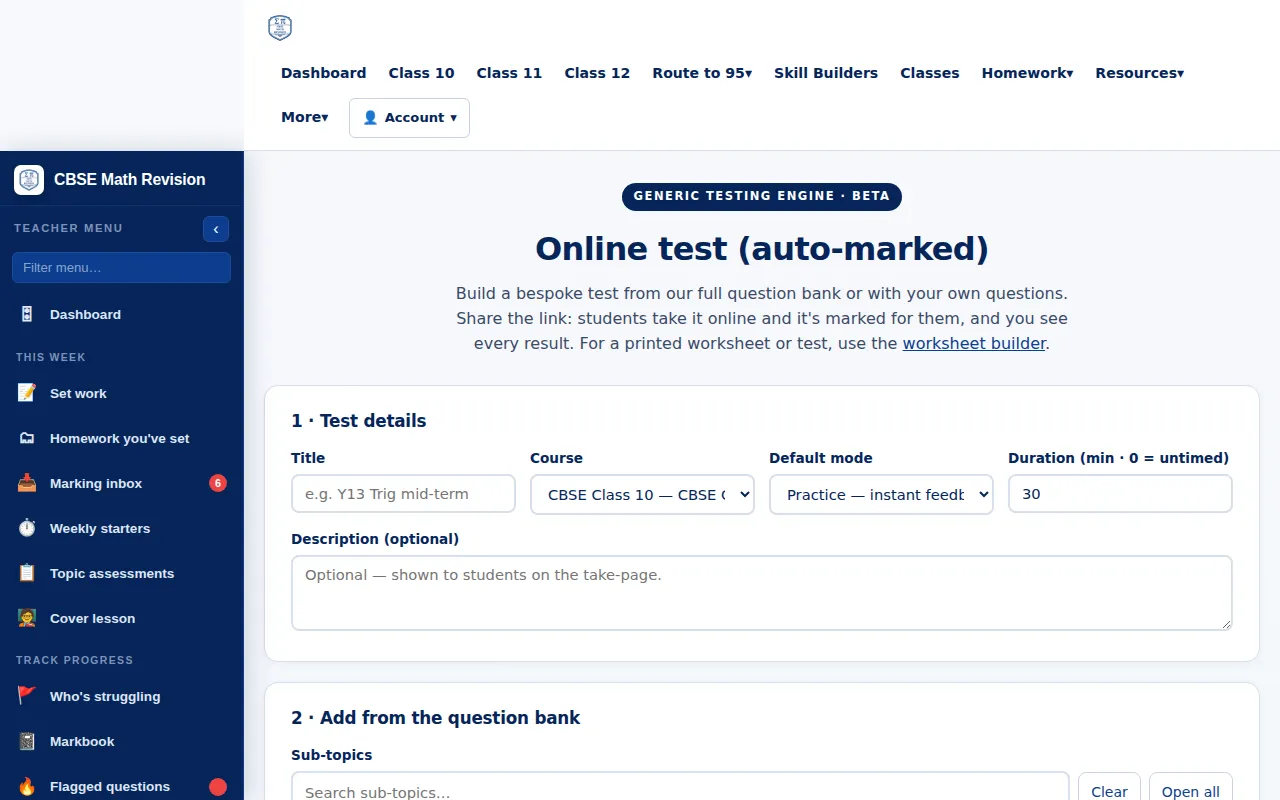
Online test builder
Build a test from the chapter banks or your own questions and share the link: students take it online and you see every result.
Try it: Online test builder → -
Add students
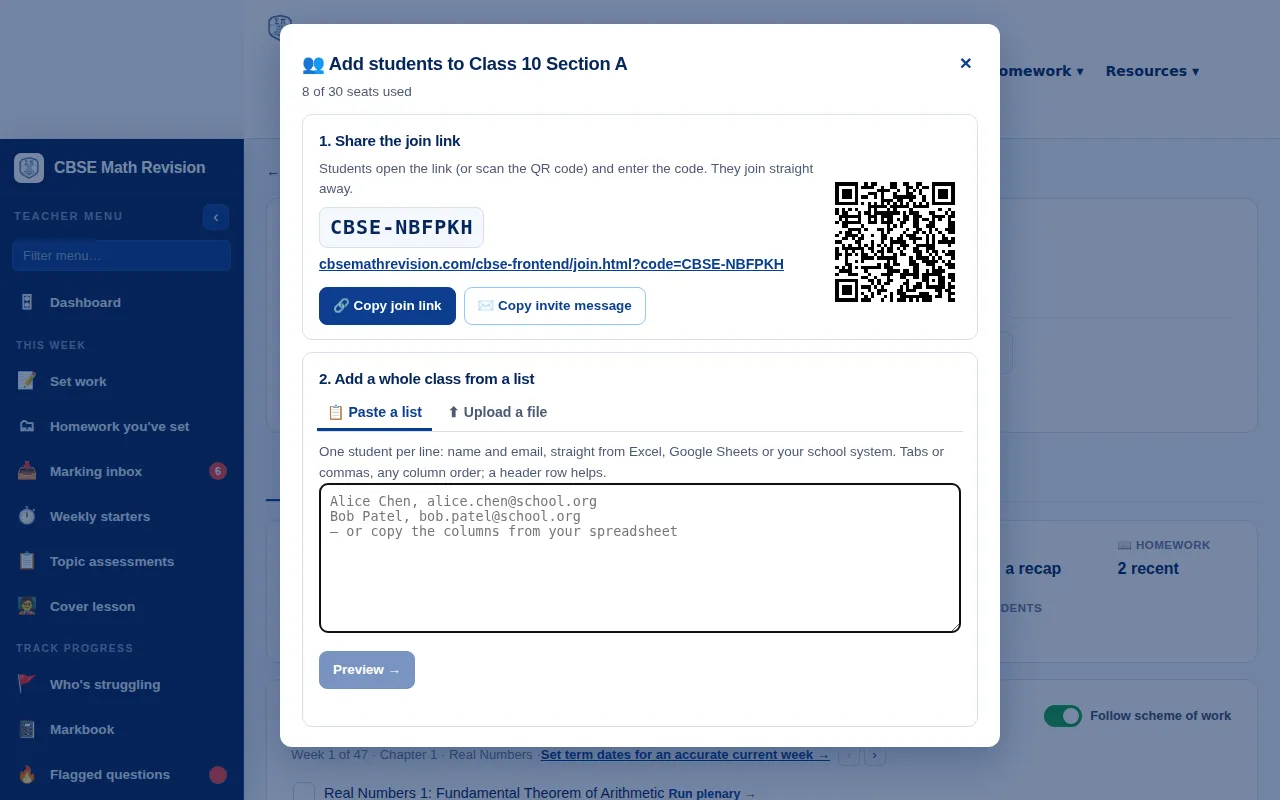
From the class page: share the join link, QR code or class code, or paste a list or upload a spreadsheet (including Google Classroom and Teams exports), preview it and add the whole class.
Try it: Add students → -
Observers
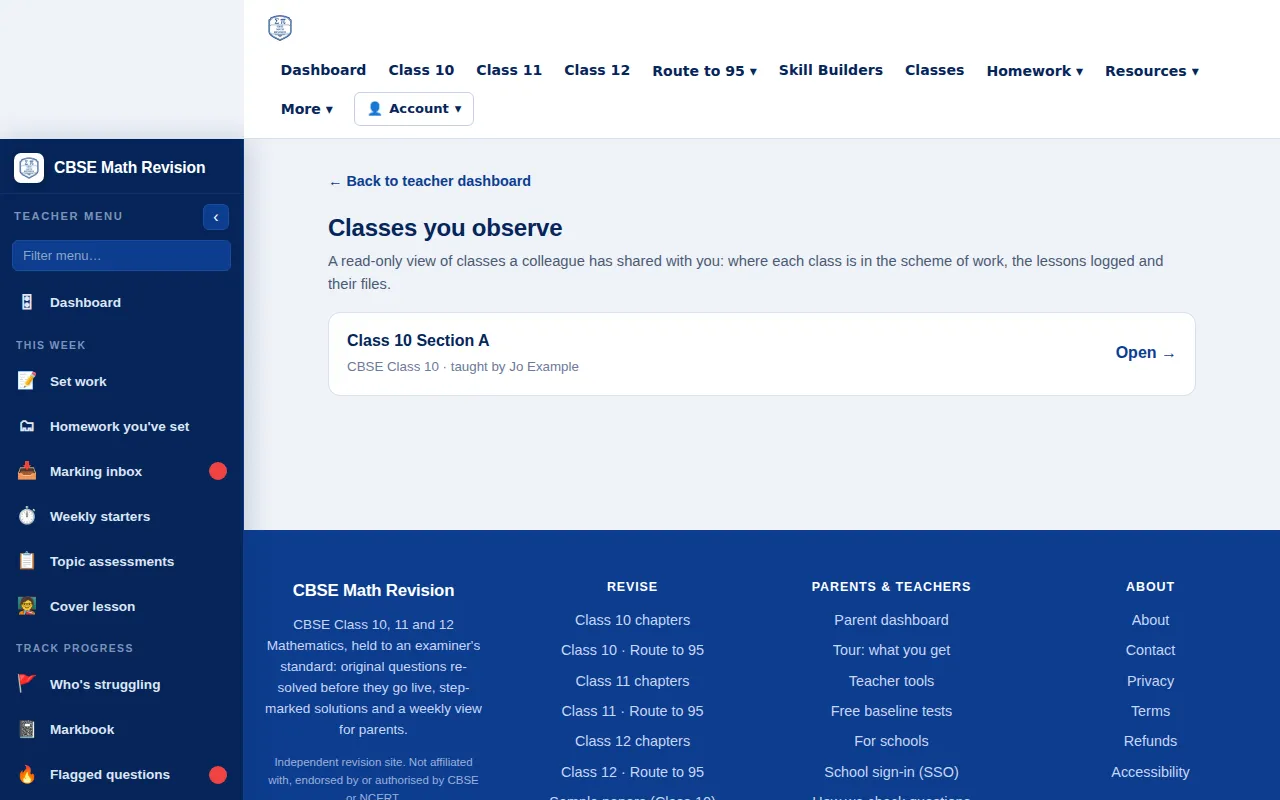
Add a colleague to a class as an observer: they see where the class is in the scheme of work, the lessons logged and their files, read-only, with no students, marks or other emails.
Try it: Observers → -
Live class game
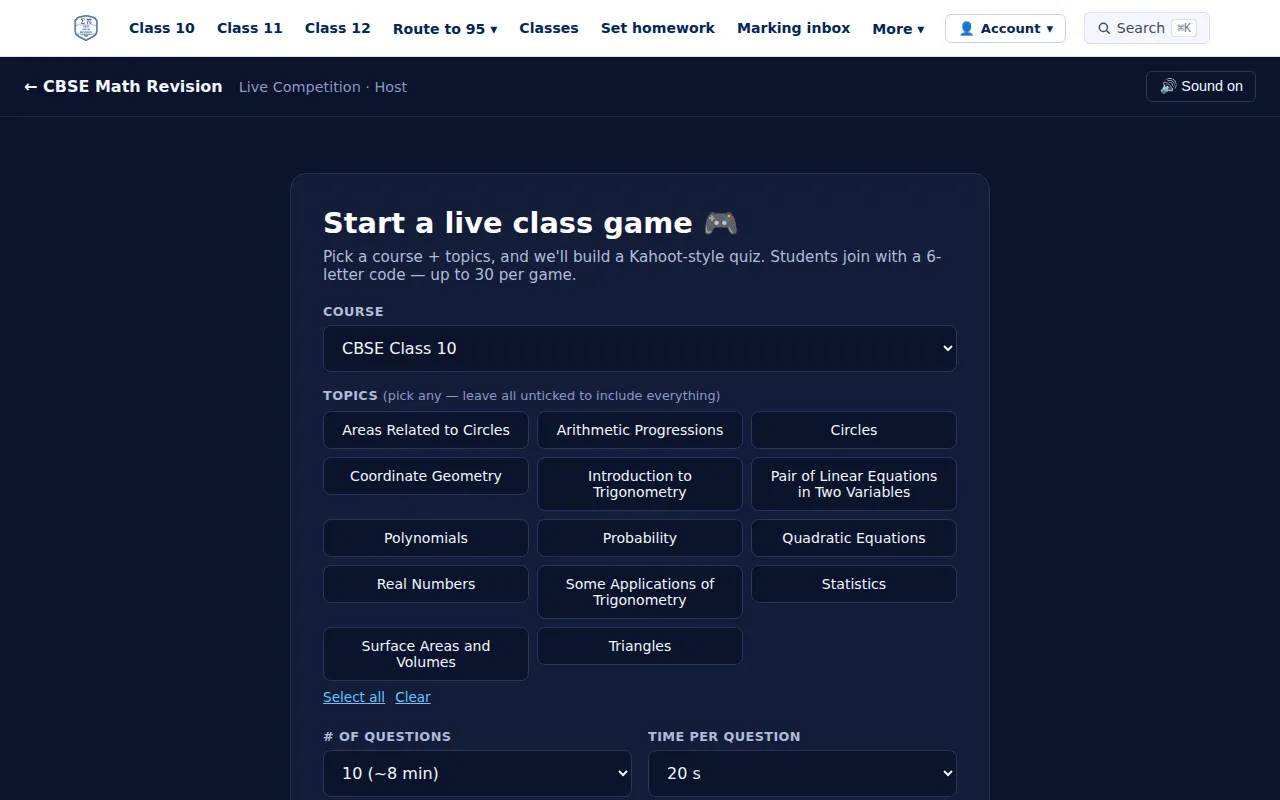
Pick a course and topics for a quiz your class plays live: students join with a code on their own devices.
Try it: Live class game → -
Jeopardy
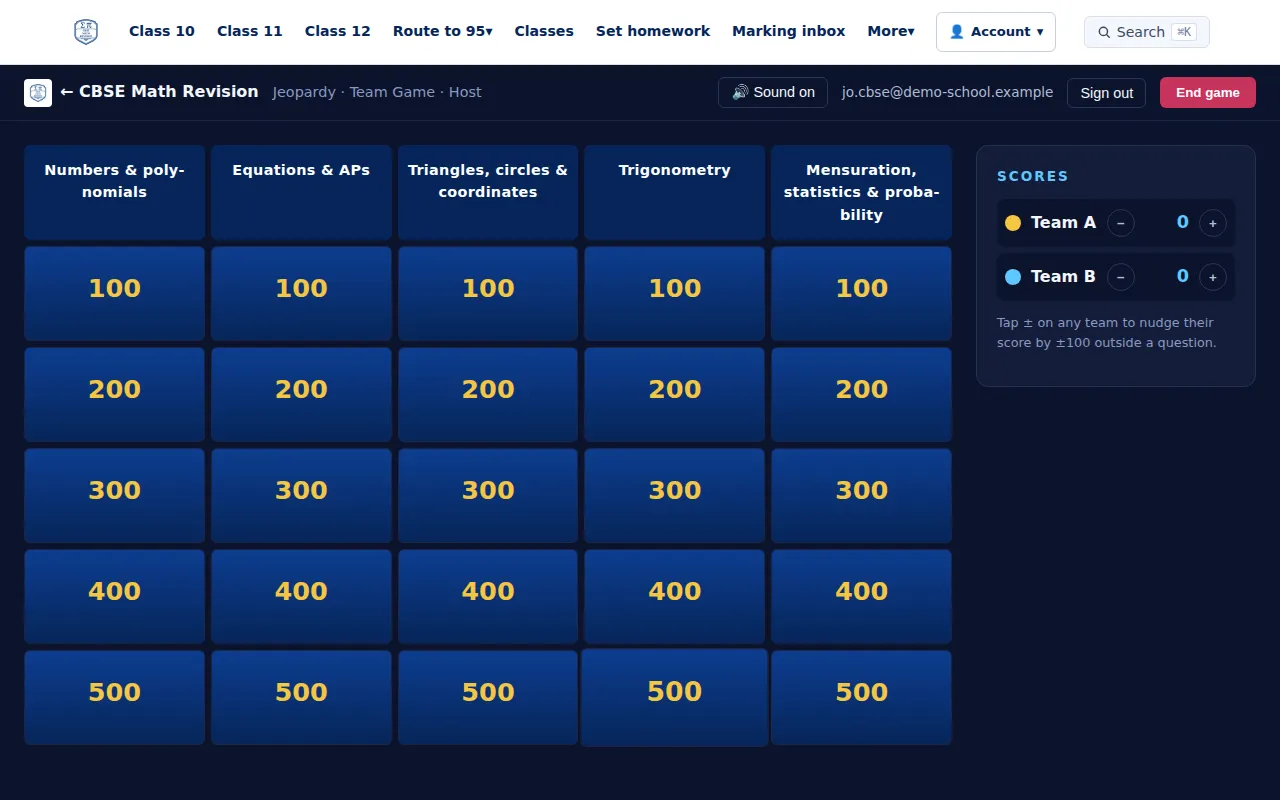
A team game for the board: split the class into teams, project it from your computer and tap who scored. No student devices needed.
Try it: Jeopardy → -
Parents' evening reports
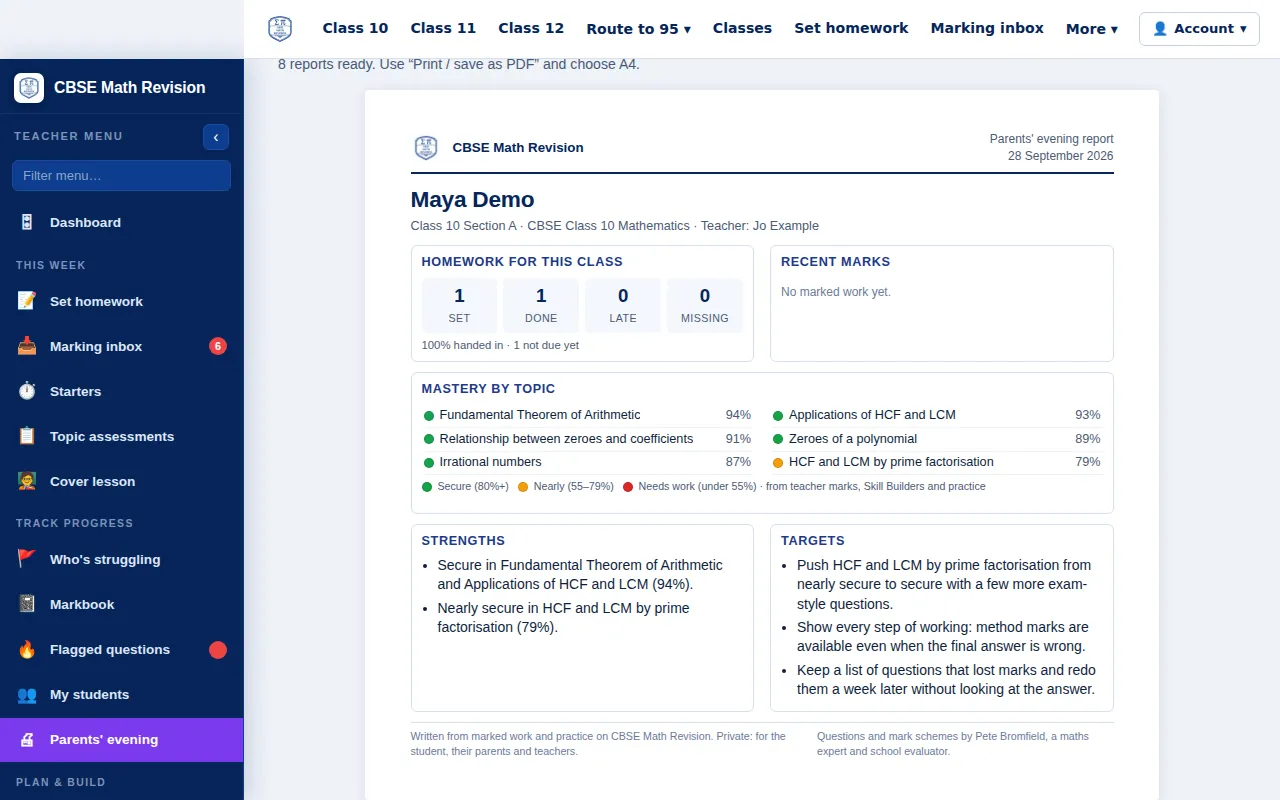
A one-page report for each student to print or save as a PDF: homework, mastery by topic, strengths and targets.
Try it: Parents' evening reports →
For schools and heads of department
-
Department overview
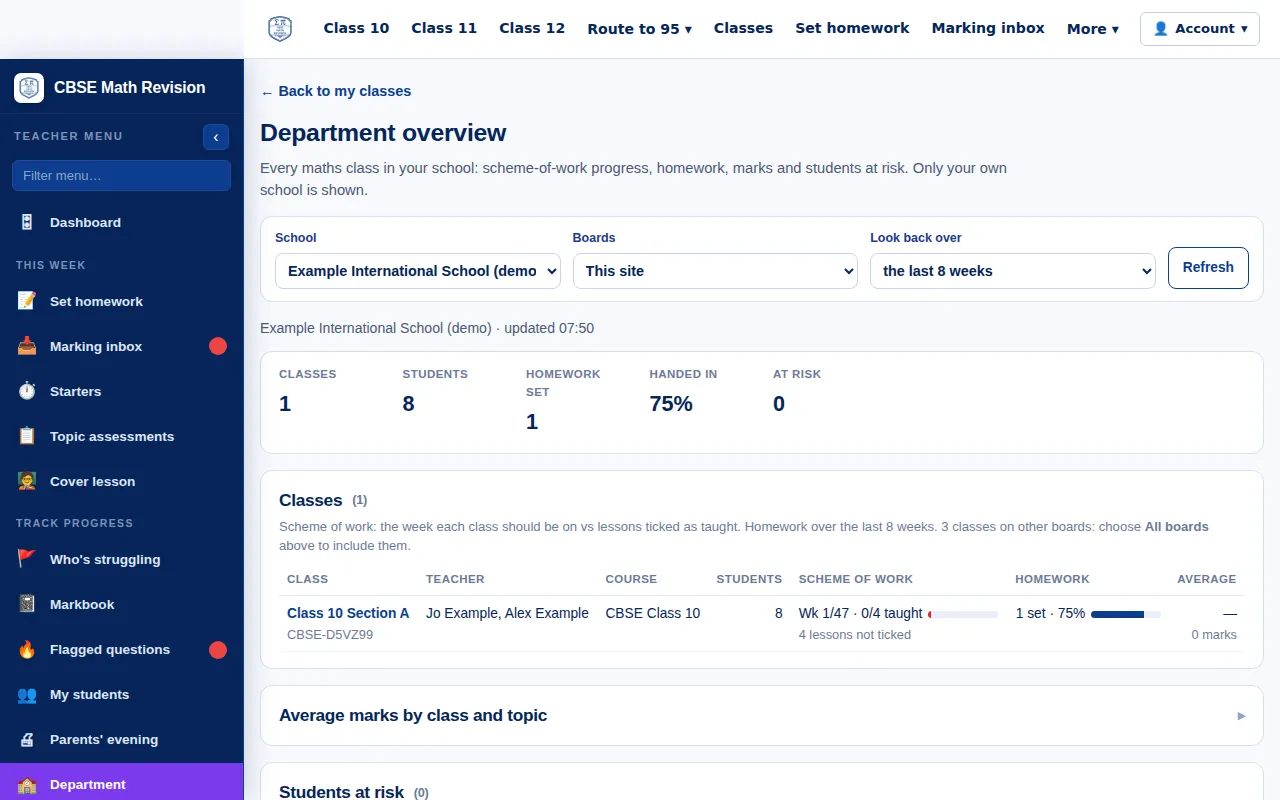
For heads of department: every maths class in the school, with scheme-of-work progress, homework, marks and students at risk. Only your own school is shown.
Try it: Department overview → -
School sign-in
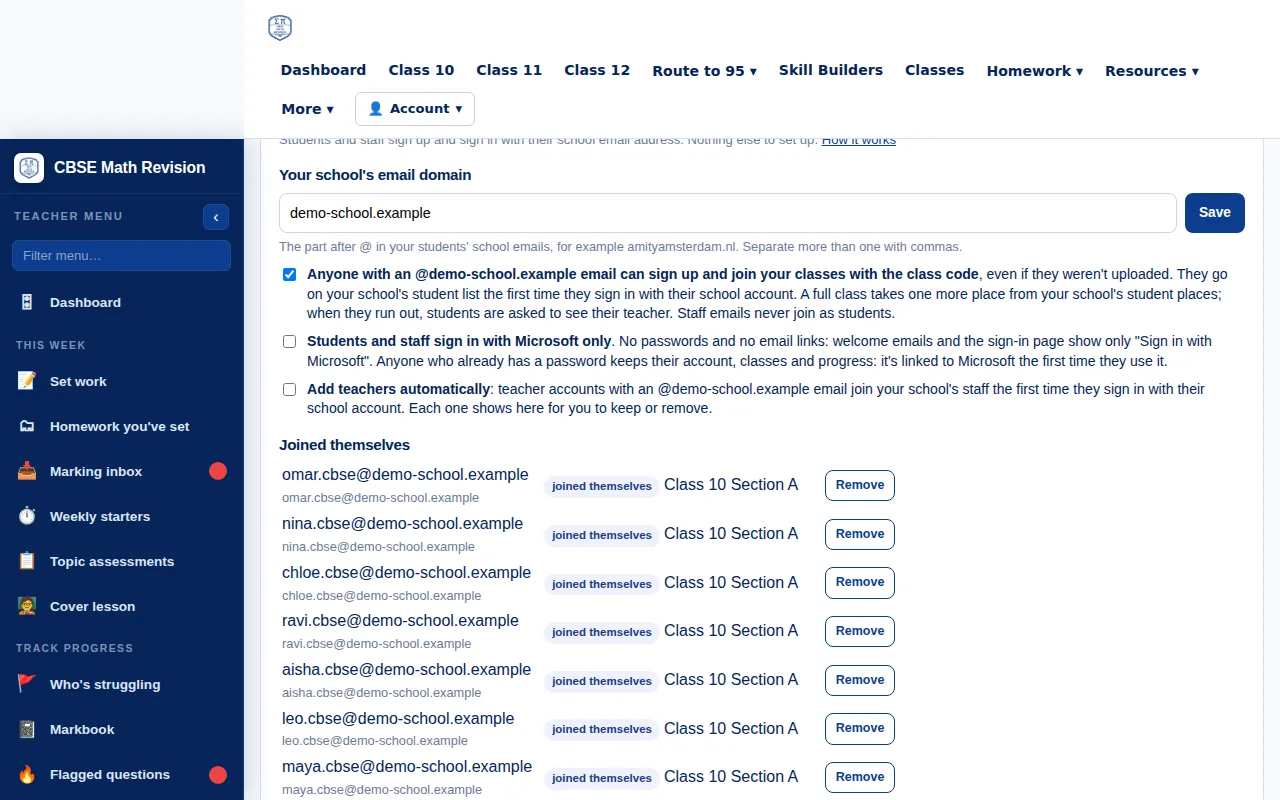
On the Department page, type your school's email domain: students and staff then sign in with Microsoft, Google or an email link and join your classes. No IT or DNS step.
Try it: School sign-in →
For parents
-
Parent dashboard
The week at a glance for your child, including Route to 95 progress and tests this week, with a summary you can share on WhatsApp yourself. You confirm you are the parent or guardian first.
Try it: Parent dashboard →

Common questions
Homework
Can students hand in part of a homework?
Yes. On the homework page they tick the questions to hand in now and add the rest later, up to the deadline. The teacher marks each question and the student sees the marks and feedback.
Can students resubmit a marked question?
Yes, unless the homework is locked. A resubmission is labelled as one for the student, in the Marking inbox and in the Markbook (an R badge), because the student has seen the feedback. The first attempt is the homework mark unless the teacher ticks "Count best attempt instead".
What is "Try a similar problem"?
Under a marked question, students can try an unseen question on the same sub-topic and difficulty, then check their answer against the worked solution. It adds nothing to the teacher's marking, and the homework mark doesn't change.
The Markbook
Can I review the marking from the Markbook?
Yes. Click a cell with handed-in work: the window shows the same review as the Marking inbox, and you can give each question its mark there.
How do I record work that has no mark?
In the column's ⋮ menu, choose "Mark as complete…" to tick students, or "All checked" to complete every handed-in piece with no mark. It shows as Complete, is left out of averages and gets no reminder emails.
Can I change a homework after setting it?
Yes. "Edit assessment" in the column's ⋮ menu opens the full Set work form, filled in: classes, dates, questions, uploads, grading scale and the rest. It works for Record marks only columns too.
Can I give grades instead of percentages?
Yes. Choose a grading scale when you set the work: % or a CBSE grade from A1 to E. If you enter only a grade, only the grade is shown; if you enter a %, the grade is worked out from it.
Skill Builders
How are Skill Builders marked?
Students type their final answers and upload a photo or PDF of their working. The teacher marks each question in the Skill Builders tab of the dashboard, and the student sees the marks there.
What does Skill Builder auto-assign do?
On the teacher dashboard, Skill Builders tab, pick a class, 5 to 20 questions per student and a date. Each student gets their own set: their Red and Amber sub-topics first, then recent lessons, then a mix of what the class has covered. Teachers can preview each student's set first, or target their weakest maths skill instead.
What is "Your next Skill Builder"?
A card at the top of the Skill Builders page. Focus picks a student's weakest sub-topics first, then what the class covered recently; Stretch gives harder questions on topics they are already good at.
What is the placement check?
A student with little mastery data sees "Start with a placement check": about 12 questions from across the course, handed in like any Skill Builder and marked by the teacher. "I haven't learnt this yet" leaves a sub-topic blank. There is no score: the results set where each sub-topic starts on the mastery grid.
What is Maths skills mode?
A Topics | Maths skills switch on the Skill Builders page. It shows the student's weakest skill, such as rounding or rearranging, with 5-question sets on that skill mixed across topics, and quick 8-question drills that are checked instantly. There is no calculator skill on this site.
How do Skill Builder streaks work?
A streak counts the weeks in a row with at least one set handed in. Badges are for a first hand-in, a first pass, full marks, 10 sets, 5 sub-topics and 3 weeks in a row. Retakes don't count.
Plans and exams
Can I pick sub-topics instead of whole chapters?
Yes. Set work, the Worksheet builder, the test builder and Make a lesson all use one sub-topic picker, with a search box and question counts. Mastery on a sub-topic counts towards its chapter.
Is there a plan for the second Class 10 board exam?
Yes. Our second-exam revision plan takes a student from the main exam to the optional May exam in six steps. Both exams cover the full Class 10 syllabus.
Can I revise from past Questions of the Day?
Yes. Every past puzzle for Class 10, 11 and 12 is on its class page, by chapter, each with its question text written out: see daily and weekly questions, or open Class 11 directly.
Can I use a referral code?
Yes. Type it in the "Have a referral code?" box on the plans and prices page, or open a /r/CODE link. See also refer a friend.
Next steps
Students can start with the free trial; teachers can see the teacher tools; schools can compare school plans.